
Download Mevo – No‑Code Chatbot Builder, Free & Secure
Overview
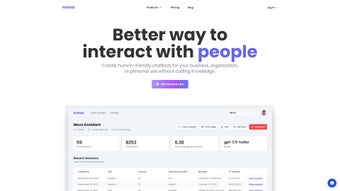
Mevo is a cloud‑based, no‑code chatbot builder that empowers marketers, support teams, and solo entrepreneurs to design conversational experiences without writing a single line of code. The platform’s visual drag‑and‑drop editor removes the traditional technical barrier, allowing users to map out conversation flows, embed multimedia, and configure intelligent responses in a matter of minutes. Whether you are looking to capture leads on a landing page, provide 24/7 customer support, or create an AI‑driven virtual assistant for internal knowledge sharing, Mevo offers a unified workspace that supports both simple rule‑based bots and sophisticated natural‑language understanding (NLU) models.
One of Mevo’s strongest selling points is its flexibility. The system can ingest raw text, PDFs, CSVs, or existing FAQ documents, turning them into a searchable knowledge base for AI‑powered bots. Real‑time analytics dashboards give you insight into user intent, conversion rates, and drop‑off points, while instant notifications via email or Slack keep your team aware of new leads or support tickets the moment they happen. Mevo also respects privacy standards; data is encrypted both in transit and at rest, and the platform offers EU‑based data residency for GDPR‑compliant organizations.
The pricing structure is transparent and scales with your needs. A free tier grants unlimited bots, basic analytics, and up to 500 interactions per month—ideal for testing or low‑traffic sites. Paid plans (Pro and Enterprise) unlock higher interaction limits, advanced AI customization, multi‑user collaboration, and on‑premise deployment for enterprises that require strict security controls. In short, Mevo delivers a secure, affordable, and user‑friendly solution for anyone who wants to harness the power of conversational AI without the overhead of traditional development.
Key Features & Benefits
- Drag‑and‑Drop Builder: Create conversation trees visually, no programming required.
- Rule‑Based & AI‑Powered Options: Choose simple decision‑tree bots or sophisticated NLU models.
- Custom Branding: Match colors, avatars, and button styles to your corporate identity.
- Multi‑Channel Publishing: Deploy bots on websites, Facebook Messenger, WhatsApp, Slack, and more.
- Knowledge Base Integration: Upload PDFs, CSVs, or plain text to power AI answers.
- Real‑Time Analytics & Heatmaps: Monitor user paths, conversion funnels, and sentiment scores.
- Instant Alerts: Receive email or Slack notifications for new leads or support requests.
- Secure & GDPR‑Compliant Hosting: Encryption at rest/in‑transit, EU data residency, and easy data export.
- Team Collaboration: Invite teammates, assign roles, and track version history.
- Scalable Pricing: Free tier for testing, Pro for growing businesses, Enterprise for large organizations.
These features translate into tangible benefits for users. The drag‑and‑drop interface slashes development time, allowing a marketing team to launch a lead‑capture bot in under an hour. AI‑driven bots improve response accuracy, reducing the need for human agents and lowering support costs.
Multi‑channel publishing ensures you meet customers where they already communicate, while real‑time analytics help you continuously refine conversation flows for higher conversion rates. Security and compliance are baked in, so you can trust Mevo with sensitive data without additional overhead. Overall, Mevo’s feature set delivers a compelling ROI for businesses of any size looking to adopt conversational technology quickly and safely.
Installation, Compatibility & Usage Instructions
Starting with Mevo requires only a modern web browser—no software download or server setup. Visit Mevo.com, click “Sign Up Free,” and register using an email address or SSO options such as Google or Microsoft. After email verification, you land on the dashboard where the “Create New Bot” wizard guides you through every step.
Step‑by‑step workflow:
- Select Bot Type: Choose “Rule‑Based” for straightforward FAQs or “AI‑Powered” for natural‑language conversations.
- Design Conversation Flow: Drag blocks onto the canvas, connect them, and define user intents, bot replies, and fallback messages.
- Upload Knowledge Sources: For AI bots, click “Add Knowledge Base” and import PDFs, CSVs, or paste plain text.
- Customize Appearance: Adjust colors, avatars, and button shapes to reflect your brand.
- Set Triggers & Notifications: Configure email or Slack alerts for events like new lead capture.
- Test in Simulator: Run sample dialogues in the built‑in tester to fine‑tune responses.
- Publish: Click “Deploy,” copy the embed code, and paste it into your website’s HTML or share the direct link on social platforms.
Mevo runs entirely in the cloud, making it compatible with any operating system that supports a current browser. This includes Windows 10/11, macOS Monterey+, Linux distributions, Android 8+, and iOS 13+. The interface is fully responsive, so you can design on a desktop and monitor performance from a tablet or smartphone. For enterprises that need on‑premise control, the Enterprise plan offers a Docker container that can be deployed behind a firewall, preserving all security and compliance guarantees.
After publishing, the analytics panel continuously tracks interaction volume, intent popularity, and unanswered queries. You can instantly edit the bot, re‑upload knowledge files, or adjust styling, and the changes propagate in real time—eliminating the need for version‑control headaches or downtime. This rapid iteration loop makes Mevo ideal for dynamic marketing campaigns, product launches, or evolving support documentation.
Pros, Cons, FAQ & Final Verdict
Pros
- Zero‑code interface opens chatbot creation to non‑technical users.
- Both rule‑based and AI‑powered options cover a wide spectrum of use cases.
- Generous free tier with essential features for testing and small projects.
- Real‑time analytics and instant notifications keep teams agile.
- Multi‑channel publishing eliminates the need for separate integrations.
- GDPR‑compliant security with optional EU data residency.
- Team collaboration tools streamline workflow for larger organizations.
Cons
- Advanced AI customization may require a learning curve for optimal results.
- Higher interaction limits and premium features are locked behind paid plans.
- Visual editor performs best on larger screens; small tablets can feel cramped.
- Native integrations are fewer than some enterprise‑grade competitors.
- Exporting bot data for migration is not yet fully automated.
Frequently Asked Questions
Can I build a chatbot with Mevo if I have no programming experience?
Absolutely. Mevo’s drag‑and‑drop builder is designed for non‑technical users, so you can create, style, and publish bots without writing code.
What is the difference between rule‑based and AI‑powered bots?
Rule‑based bots follow predefined decision trees and are ideal for simple FAQs or lead capture. AI‑powered bots use natural‑language processing to understand intent, allowing more flexible, context‑aware conversations.
How many interactions does the free plan allow?
The free tier provides up to 500 interactions per month. Exceeding this limit prompts an upgrade to the Pro plan or a wait until the next billing cycle.
Can I embed the same Mevo bot on multiple websites?
Yes. The generated embed code can be placed on any number of domains, and all traffic is consolidated into a single analytics view.
Is Mevo GDPR‑compliant?
Mevo meets GDPR requirements with encryption at rest and in transit, EU data residency options, and easy data export/delete capabilities for end users.
Final Verdict & Call to Action
Mevo stands out in a crowded chatbot market by delivering a truly no‑code experience without sacrificing the power of AI. Its free tier lowers the barrier to entry, while the Pro and Enterprise plans provide a clear growth path for businesses that need higher interaction volumes, advanced analytics, or on‑premise deployment. The platform’s strengths—intuitive design, multi‑channel reach, robust security, and real‑time insights—far outweigh the minor drawbacks such as limited native integrations and a learning curve for deep AI tuning. If you are ready to automate lead capture, improve customer support, or experiment with conversational AI, Mevo offers a secure, cost‑effective, and user‑friendly solution.
Start building your chatbot today. Click the button below to sign up for a free Mevo account and launch your first bot in minutes.
Overall Rating: 4.5 / 5
Mevo delivers a compelling mix of ease‑of‑use, powerful AI capabilities, and transparent pricing. The platform shines for small‑to‑medium businesses that need fast deployment and real‑time insights. Minor drawbacks like limited native integrations are outweighed by its core strengths, making it a top choice for anyone serious about conversational marketing.



.png)



